Crosswind VOIP supports the Xtelsio TAPI driver for use with third party applications.
Open “xtelsio TAPI for Asterisk – Configuration” application
 Click on the configure button

ON the window that opens up click on the “>>” and select “Connect new phone system PBS”
 IP Address: Enter the IP address given to you on your TAPI Configuration page.
Port: Enter the port given to you on your TAPI Configuration Page.
Autentication: Set to manager.conf
Username: Enter the username on your TAPI Configuration page.
Password: Enter the password on your TAPI Configuration page.
Click on when all the values have been set
 Double click on Asterisk Line 1
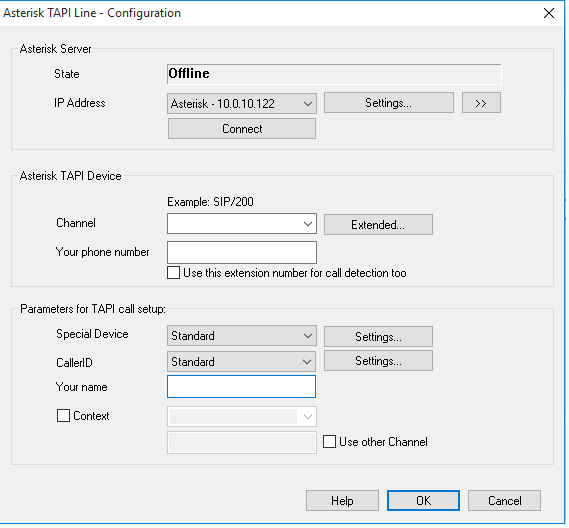
Enter then the Channel Value, Your phone number, select “Standard” for special device.
 crosswindsupport.com